A website is great for being found. A PDF portfolio is great for being chosen. It sits in an inbox, gets forwarded to the person who actually decides, and opens in a meeting room without anyone needing a login. Designers, architects, photographers, writers, developers and consultants all use one. But a portfolio that weighs 80 MB, starts with your oldest project or makes the reader zoom to see anything is quietly working against you. Here is how to put together one that people open, read and remember.
Decide what the portfolio is for
One portfolio rarely fits every situation. A job application, a pitch to a specific client and a general introduction each need a different selection. Before collecting files, write down who will read it and what you want them to do afterward: invite you to an interview, ask for a quote, or forward you to a colleague. Every page should help that happen.
What to include
- A cover: your name, what you do in one line, and contact details.
- A short introduction: a paragraph about your approach and the kind of work you take on. Not your life story.
- Projects: for each one, the problem, what you did and the result. A sentence or two each, with images doing most of the talking. Results with numbers, such as "bookings up 30 percent", are the most persuasive.
- Proof: a client quote, award or recognizable logo, if you have them and are allowed to use them.
- A closing page: contact details again, a link to your website and what you would like the reader to do next.
Ask permission before including client work that is confidential or unpublished. When in doubt, anonymize it or describe it without images.
Order matters more than you think
Many readers look at the first three projects and decide. Put your strongest, most relevant work first, and end on a strong project rather than trailing off. Tailor the order to each recipient: lead with hospitality projects for a hotel group, with fintech for a bank.
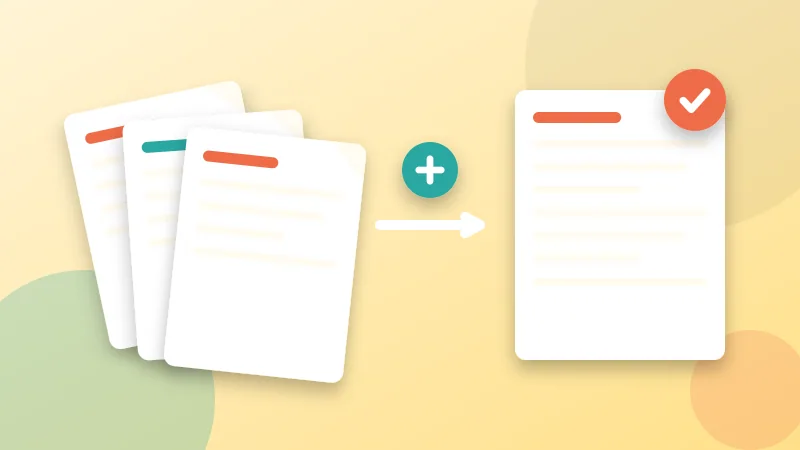
If you keep each project as its own PDF, tailoring is quick. Line them up in Merge PDF, drag them into the order that fits this client and merge. Number your source files (01-cover, 02-intro, 10-hotel-rebrand) so the default order is sensible, then adjust. To fine-tune individual pages afterward, use Organize PDF.
Design for the screen first
- Landscape pages fill laptop screens and projectors better than portrait. Most people will never print your portfolio.
- Consistent layout across projects: same margins, same title position, same font sizes.
- Large images, little text. If a paragraph runs longer than four or five lines, it probably belongs in the conversation.
- Readable on a phone, because the first look often happens there. Check text size on a small screen before sending.
- Clickable links to live projects and your site. Test them after exporting and after merging.
Keep the file small enough to send
Large portfolios bounce off email limits, fill up inboxes and take ages to open on mobile data. A sensible target is under about 10 MB, and under 5 MB is even better for a first contact.
- Export images from your design tool at screen resolution, roughly 150 to 200 pixels per inch at the displayed size, not print resolution.
- Merge the final document, then run it through Compress PDF. Try Light first for image-heavy portfolios, and check that photos still look sharp at full screen.
- If it is still too large, send a short version of six or so projects and offer the full portfolio on request, or as a download link.
Our guide on reducing PDF size for email goes deeper on the trade-offs.
Finishing touches
- Page numbers. Add them with Add Page Numbers, starting on page 2 so the cover stays clean. In a call, "look at page 7" is much easier than "the blue one after the hotel project".
- Document title and author. Set them with Edit PDF Metadata so the browser tab says "Sara Benali – Portfolio 2026" instead of the name of a template.
- A clear file name, such as Sara-Benali-Portfolio-2026.pdf. Add the client name for tailored versions.
Protecting your work, realistically
A PDF you send can be forwarded and copied, so think about what you are comfortable sharing. A subtle watermark with your name, added with Watermark PDF, discourages casual reuse and keeps your name attached if pages are passed around. Keep it small and light, so it does not distract from the work. Do not rely on it for real protection, and do not add a password for a first contact. Making a busy reader ask for one is a good way to not be read at all.
Before you hit send
- Open the final PDF on a laptop and on a phone.
- Click every link.
- Check the size and the file name.
- Make sure contact details appear on the first and last page.
- Read the project descriptions once more for typos and outdated numbers.
- Keep a dated copy of what you sent each client.